The in-house SERV-Minecraft panel

A panel built to manage your Minecraft server

Console, files, backups, expert mode, livemap: the SERV-Minecraft panel brings together everything you need to run your Minecraft server day to day, without hassle and without a command line.

Your server, entirely in your hands

The SERV-Minecraft panel is built in-house, specifically for Minecraft hosting. It is not a generic panel adapted as best it can: every screen (console, files, backups, whitelist, modpacks) is designed for the real needs of a Minecraft server, from an SMP between friends to a large modpack for an entire community. You get access as soon as you create your account, even before ordering a server.
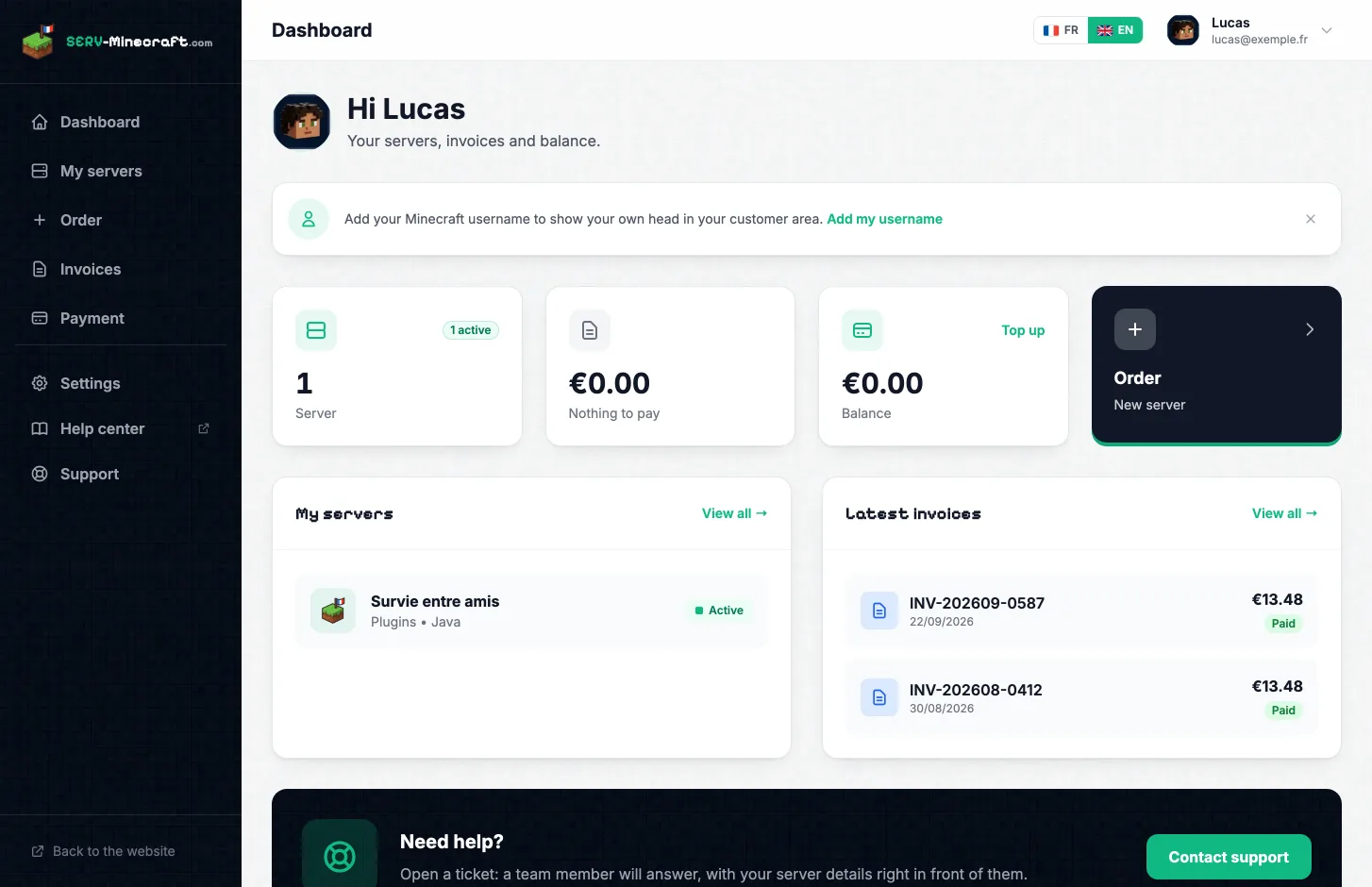
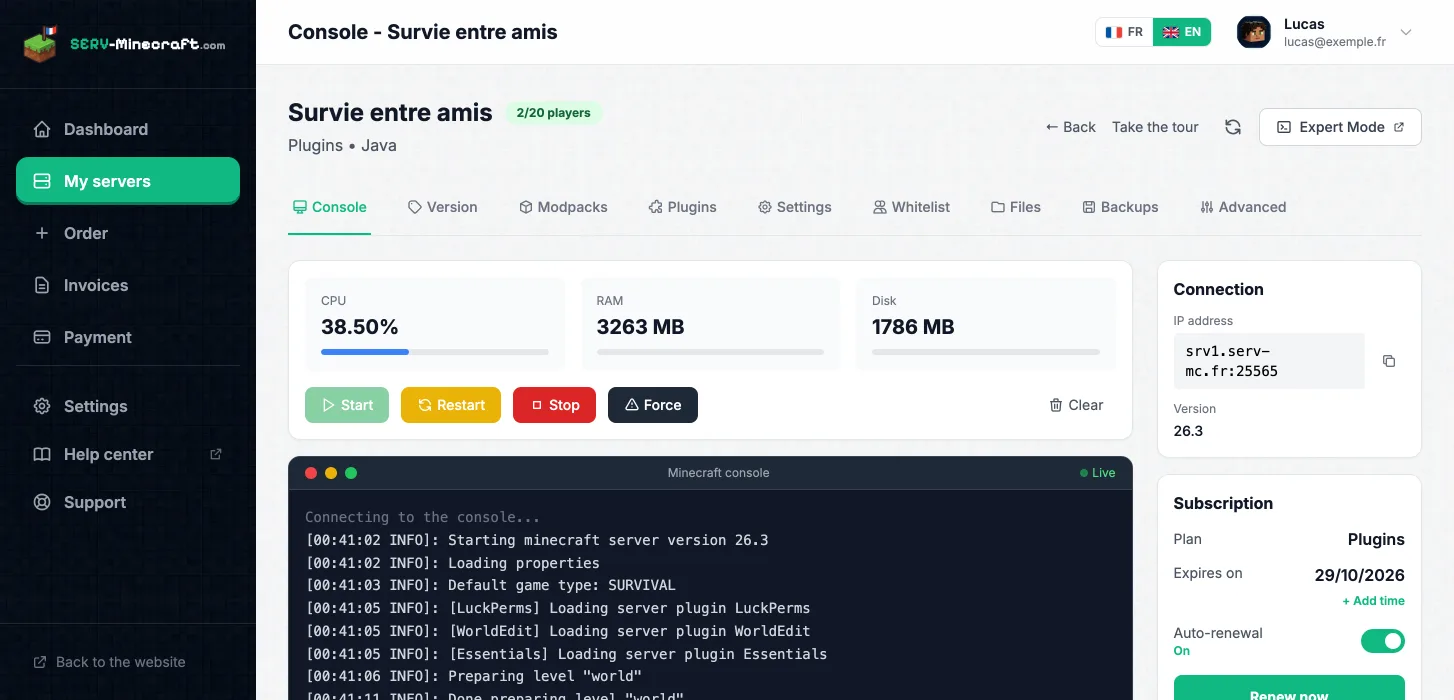
SERV-Minecraft panel dashboard

Everything you need to run your server

Live console

Live console

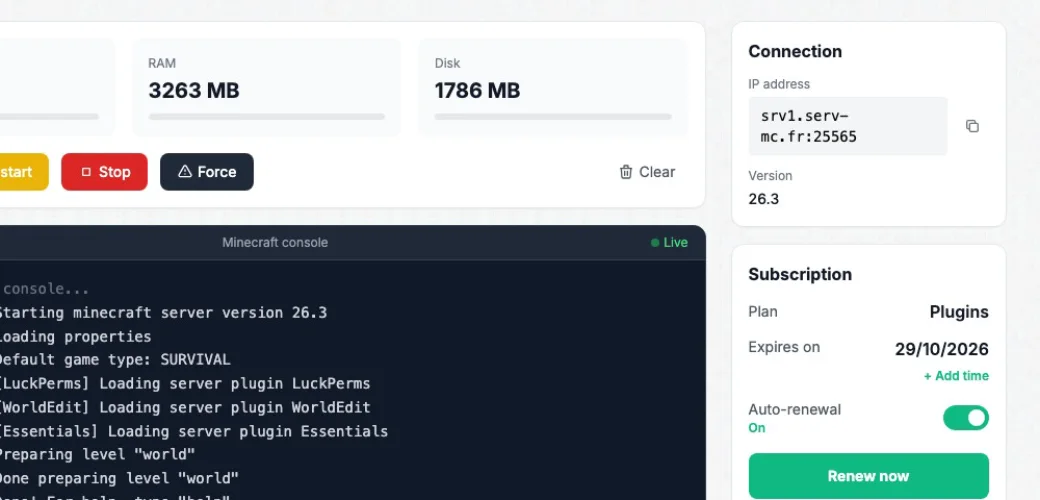
Start, restart or stop your server in one click. Send commands and follow the logs in real time, straight from your browser.

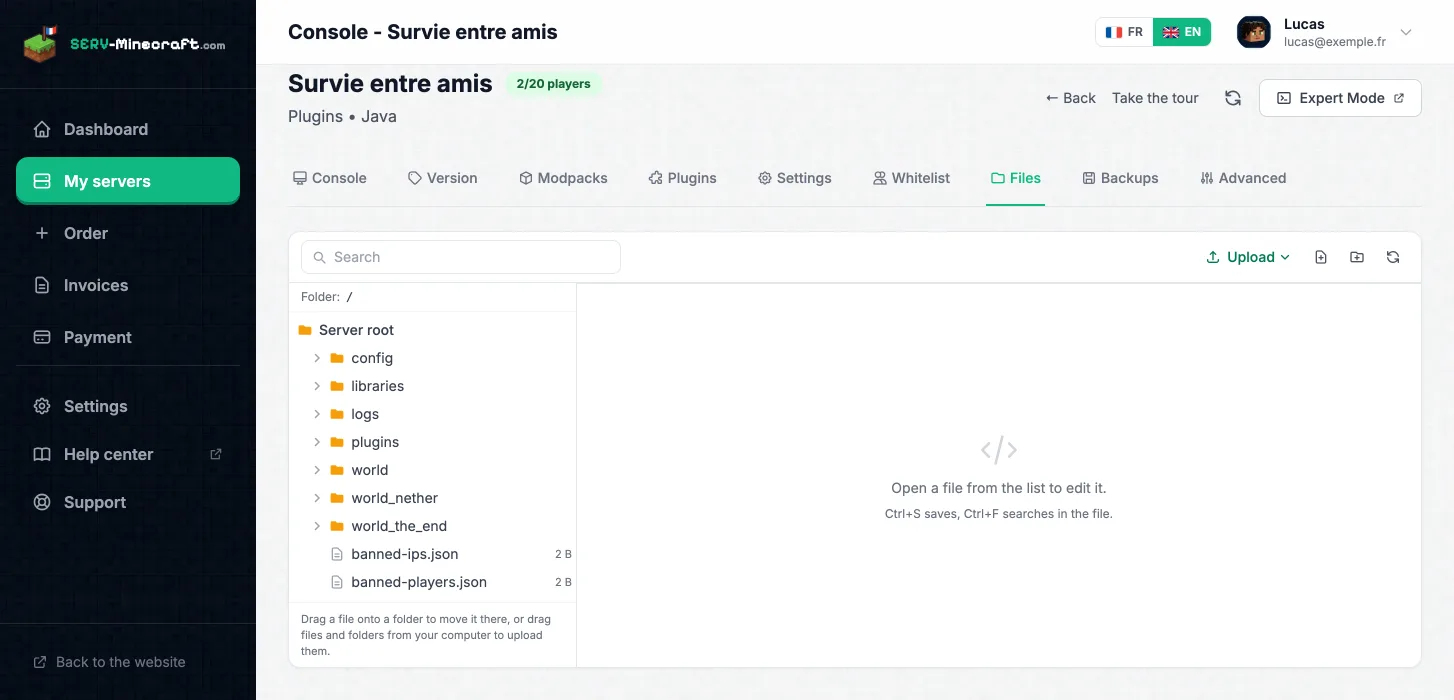
File manager

File manager

Browse your server's file tree, create folders and files, edit your configuration and upload your own files without going through an FTP client.

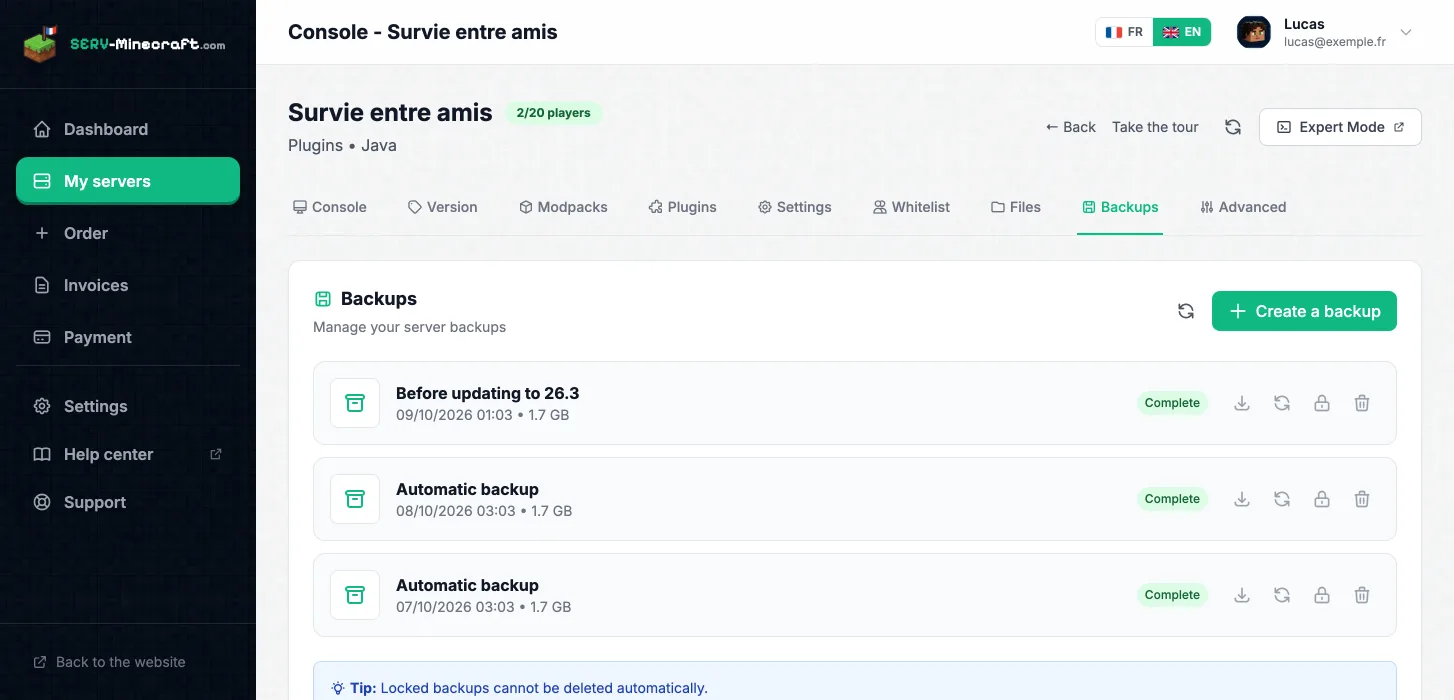
Backups

Backups

Create a backup of your world in one click. The automatic backups option schedules regular backups so you never lose your progress.

🔄

Edition and version

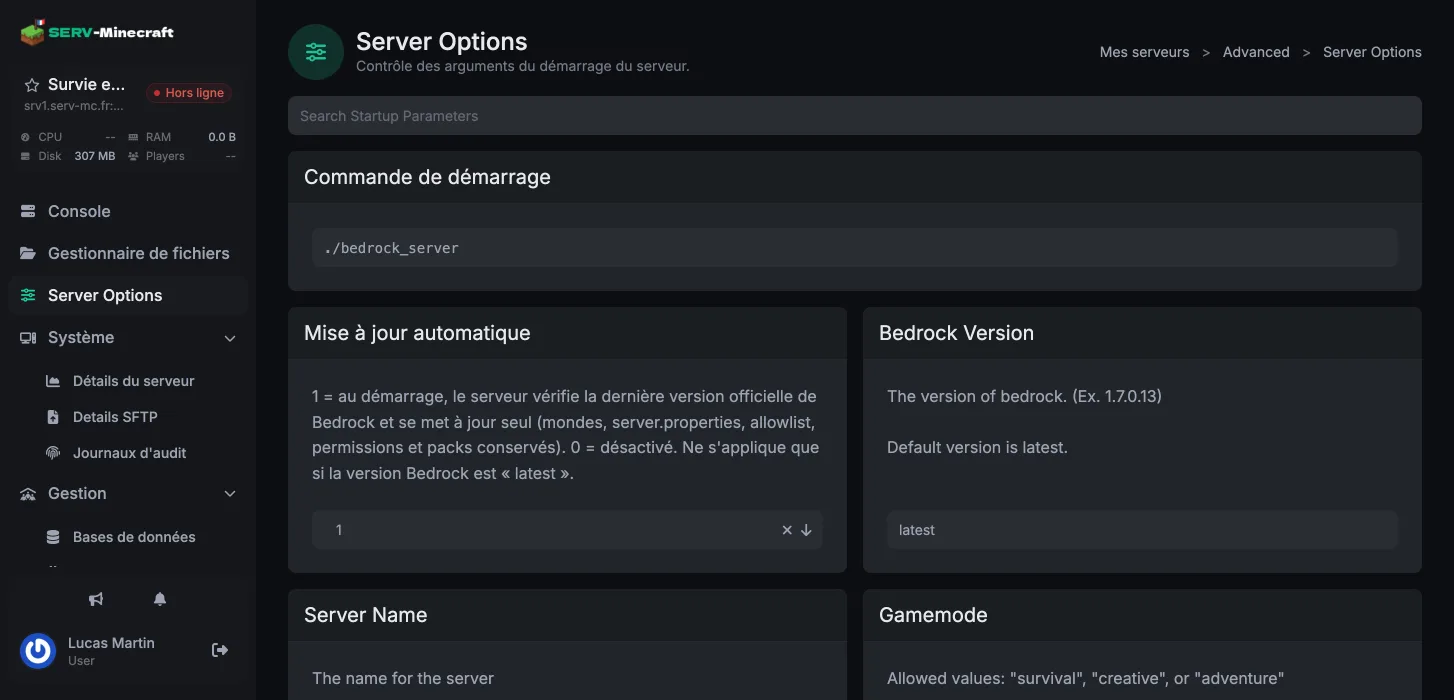
Switch edition (Vanilla, Paper, Forge, Fabric…) and Minecraft version straight from the panel's Version tab, without touching a single file.

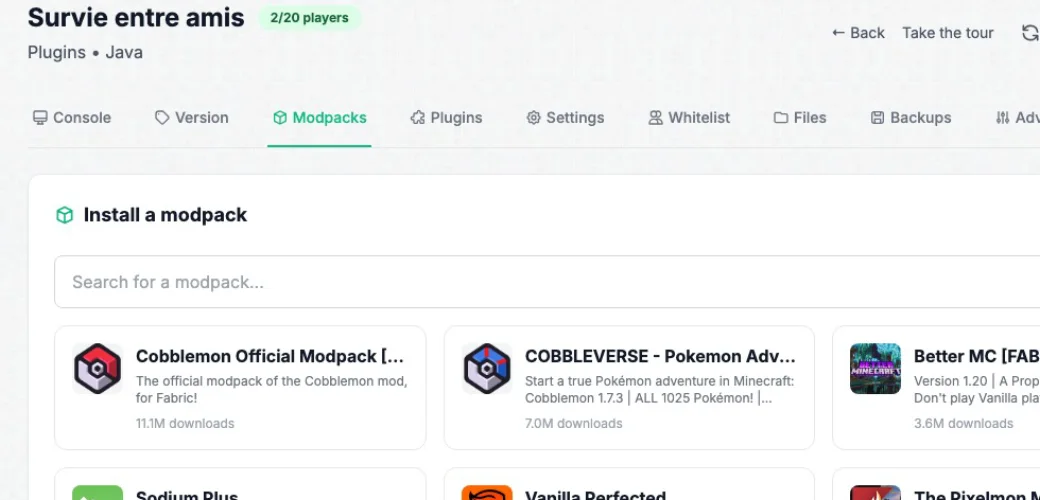
Modpack installation

Modpack installation

Search for a modpack and install it in a few clicks from the dedicated tab: mods and their dependencies are installed automatically.

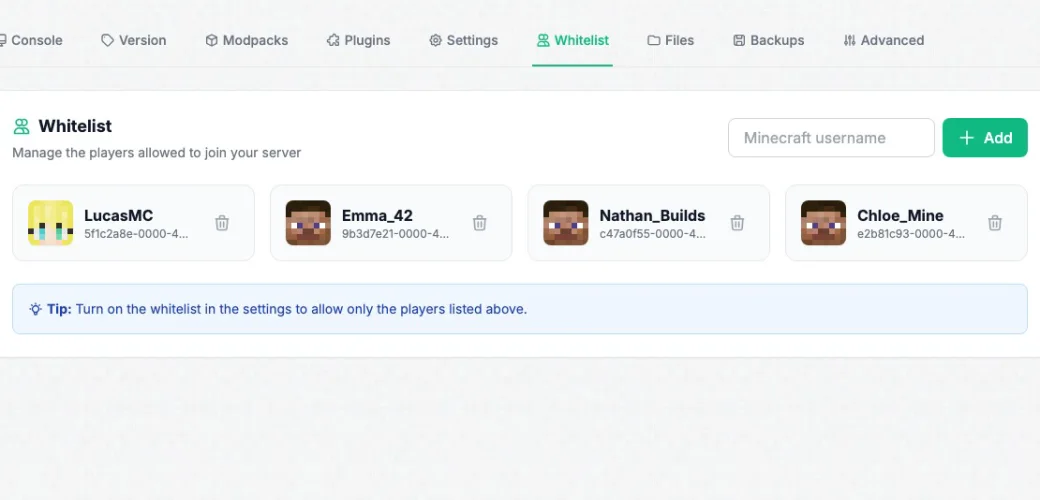
Whitelist

Whitelist

Add or remove players from the whitelist by their Minecraft username to keep your server closed to strangers.

Livemap

Livemap

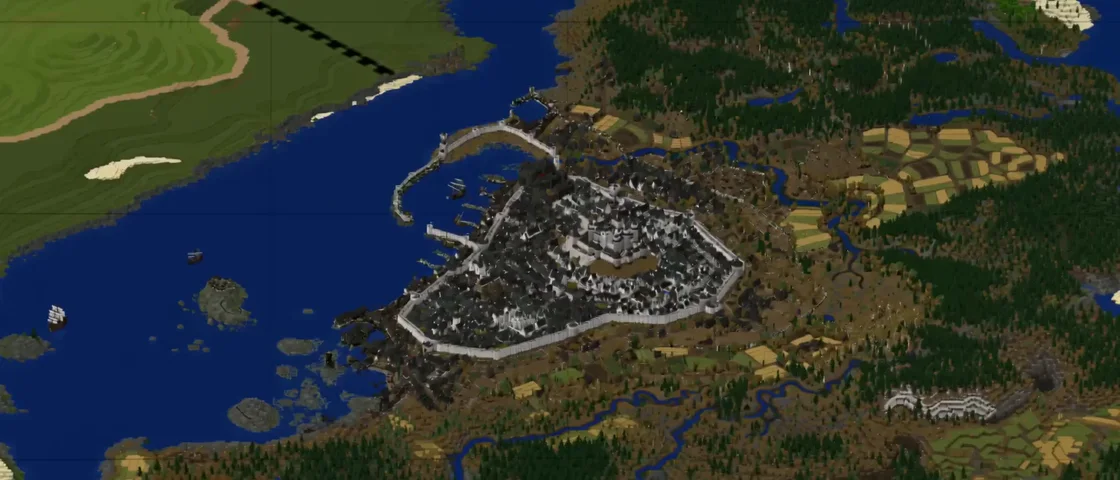
On plans that include it, display an interactive real-time map of your world, accessible directly from the panel.

🔐

Expert mode

Need deeper access to your server's configuration? Expert mode is enabled from the panel settings, protected by a dedicated password.

Automatic renewal

Automatic renewal

Enable automatic renewal to never risk a suspension, or renew manually in one click from your server page.

The panel is included, whatever your plan

Console, files, backups and automatic renewal are available on all four plans. Livemap and priority support are added on the Modpack plan.

🚀 Perfect to get started

Start

Vanilla, Paper, SMP with friends

€4.99
/month
Order Start
🧩 Most popular

Plugins

Paper / Spigot, plugins, mini-games

€8.99
/month
Order Plugins
⚙️ Forge & Fabric

Modded

Medium modpacks: Create, ATM, Cobblemon…

€15.99
/month
Order Modded
🔥 Maximum power

Modpack

Heavy modpacks and large communities

€21.99
/month
Order Modpack

Frequently asked questions

Is the panel included in every plan?
Yes. The in-house SERV-Minecraft panel is included in all four plans, from Start to Modpack. Some features, like Livemap, depend on the plan you choose.
Do I need technical knowledge to use the panel?
No. The console, files, backups and installing a modpack are managed in a few clicks. Expert mode remains for those who want to go further.
How does automatic renewal work?
You can enable or disable it at any time from your server page. Without renewal, a suspended server is kept for 14 days before the data is deleted.
Can I change version or edition from the panel?
Yes. The Version tab lets you switch from one edition to another (Vanilla, Paper, Forge, Fabric…) and change Minecraft version without technical support.

Go further

Ready to take control of your server?

Create your account for free and discover the panel before even ordering a server.