Your world stays online day and night: your friends join whenever they like, even when you are not around. You decide who gets in, and everyone plays from their computer or their phone.
Vanilla or with a few plugins, the 6 GB of Start run your world. If you add mods or the group grows, you move to a bigger plan from the panel.
6 GB RAM
Unlimited slots
Vanilla, Paper, Cobblemon with friends
12 GB RAM
Unlimited slots
Paper / Spigot, plugins, mini-games
24 GB RAM
Unlimited slots
Medium modpacks: Create, ATM, Better MC…
32 GB RAM
Unlimited slots
Heavy modpacks and large communities
The "Invite my friends" button in the panel creates your server's page: your friends find the address to copy and the steps to connect.
Paste the link in your Discord: the preview shows the server address right away.
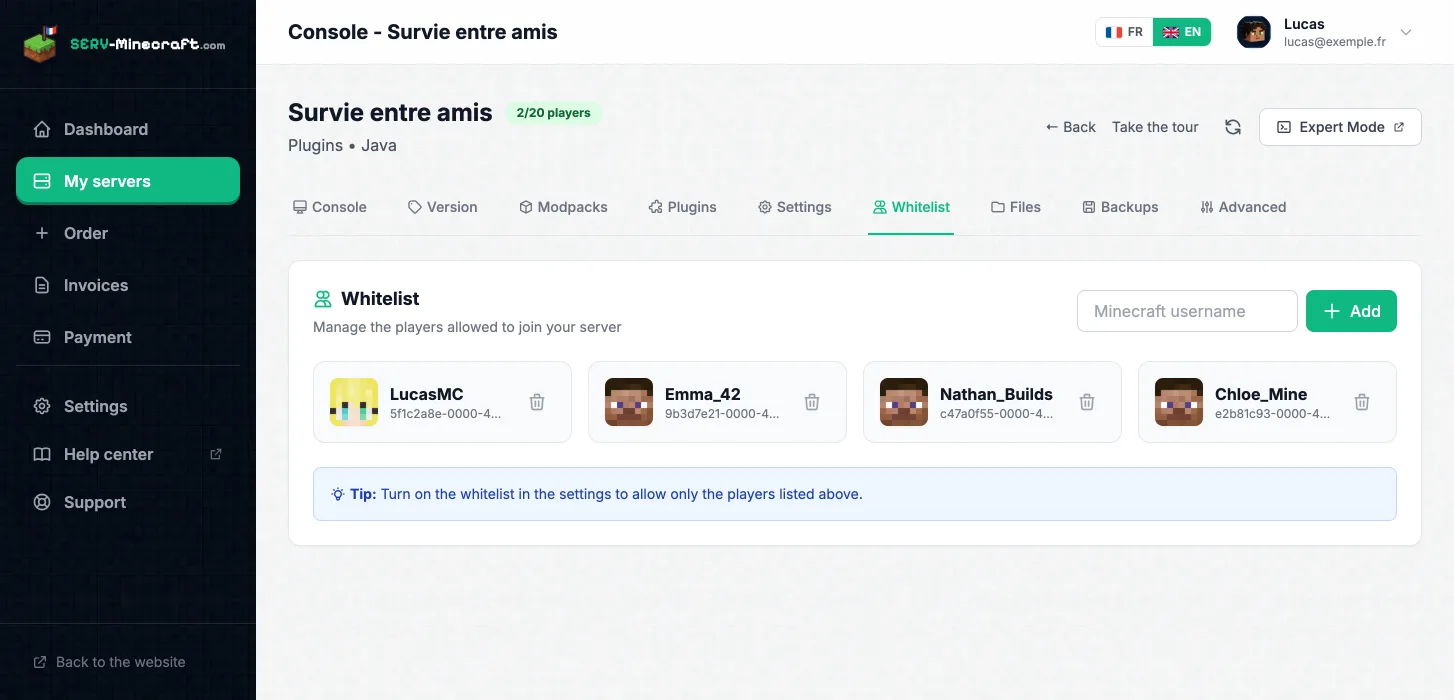
Add everyone's username in the Whitelist tab of the panel, then turn the whitelist on in the settings. Someone who finds the address will not be able to connect.
With Geyser on a Java Paper server, Bedrock players (phone, tablet, Windows PC) join the same world as the Java players. If the whole group plays Bedrock, a Bedrock server is enough.
Crossplay in detail
Works great to play with my friends on a very heavy modpack (GT New Horizons)!!
Setup is quick, the interface is easy to understand and the server is stable, even with several players. I haven't run into any noticeable lag.
Honestly guys, go for it with your eyes closed, the support is super responsive and the value for money is great!
Everything is perfect, 0 lag and great value for money. I recommend it!
My Minecraft server works great.
I've been hosting my Minecraft server for 2 years for my community and I have nothing to complain about: attentive support and a stable server, with no bugs or crashes.
Pick a plan, pay, and the server starts. No commitment.
Create my server