Paper, Spigot & plugins

A Minecraft server ready for your plugins

SMP with friends or a minigame server with plugins: our Start and Plugins plans run on Paper/Spigot and support most of the Minecraft plugin ecosystem, with no complicated server configuration.

Minecraft server with plugins Dedicated server

Who are these plans for?

The Start plan, with 8 GB of RAM, suits a Vanilla or Paper server for a small group of friends: a classic SMP, a few light comfort plugins (land protection, simple economy). The Plugins plan, with 16 GB of RAM, steps up for a community server: more plugins active at the same time, minigames, a more advanced economy, and the headroom needed during peak hours. In both cases, the server runs on Paper or Spigot, the two most widely used pieces of software for Minecraft plugins, and stays compatible with the vast majority of plugins available on SpigotMC or Modrinth.

Installing a plugin on your server

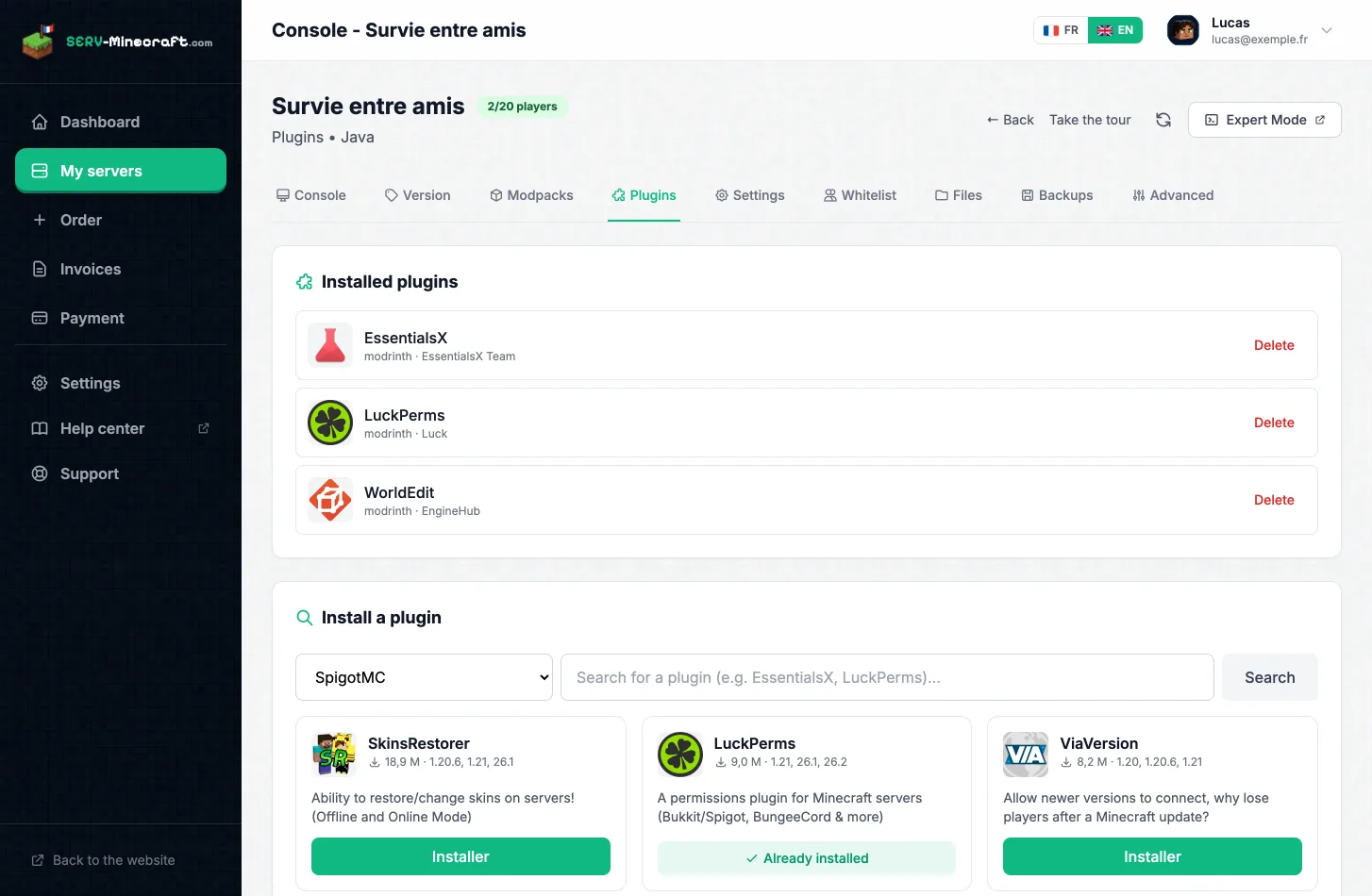
Installing a plugin requires no particular skill. From the panel's Files tab, open your server's plugins folder and upload the .jar file of the plugin downloaded from SpigotMC or Modrinth. Then go back to the Console tab to restart the server: the plugin loads automatically on the next startup. Most plugins generate a configuration folder on their first launch, which can also be edited directly from the file manager. To test a configuration safely, a quick backup before making changes is always the safest move.

Installing a plugin from the panel

Why Paper rather than Vanilla

Paper is a server derived from Spigot, itself derived from Vanilla, optimized for better performance and for the plugin ecosystem. On both our plans, it runs on high-frequency Xeon processors, with NVMe drives for fast chunk loading even when several plugins are stressing the server at the same time. Anti-DDoS Game protection, specific to the Minecraft protocol, protects your server and your players with no extra configuration on your side. Everything runs in our own datacenters in France.

Minigames, economy, protection: the most requested plugins

On the Plugins plan, the most common uses remain land protection, economy, community minigames and comfort plugins. Each of these plugins adds extra load on the server: the more you install, the more the available RAM and CPU matter. That is why the Plugins plan doubles the RAM of the Start plan, to absorb a wider stack of plugins without performance dropping during peak hours.

Plans for a plugin server

High-frequency processors, NVMe drives and Anti-DDoS Game Minecraft protection included. No commitment, instant activation.

🧩 Most popular

Plugins

Paper / Spigot, plugins, mini-games

€8.99
/month
16 GB RAM
High-frequency Xeon
NVMe storage
Minecraft Game Anti-DDoS
Order Plugins

Frequently asked questions

What is the difference between a Vanilla server and a Paper/Spigot server?
A Vanilla server uses Mojang's official software, with no ability to add plugins. Paper and Spigot are modified versions, compatible with the vast majority of plugins (land protection, economy, minigames…), while remaining playable with a standard Minecraft client.
How do I install a plugin on my Minecraft server?
Download the plugin's .jar file, upload it to the plugins folder via the panel's Files tab, then restart the server from the Console. The plugin loads automatically.
Which plan should I choose between Start and Plugins?
The Start plan (8 GB) suits an SMP with friends and a few comfort plugins. The Plugins plan (16 GB) targets a community server: more plugins active at the same time, minigames, and headroom for when everyone connects at once.
Can I move from the Start plan to the Plugins plan later?
Yes, you can change plan from your panel as your community and the number of installed plugins grow.

Also worth reading

Go further

Ready to launch your plugin server?

Order your Paper/Spigot server in a few minutes, with no commitment.

Order my server