Run your server from your phone

The SERV-Minecraft customer area installs as an app on iPhone and Android. It shows live status, the buttons to start or stop, the console, and notifies you when support replies.

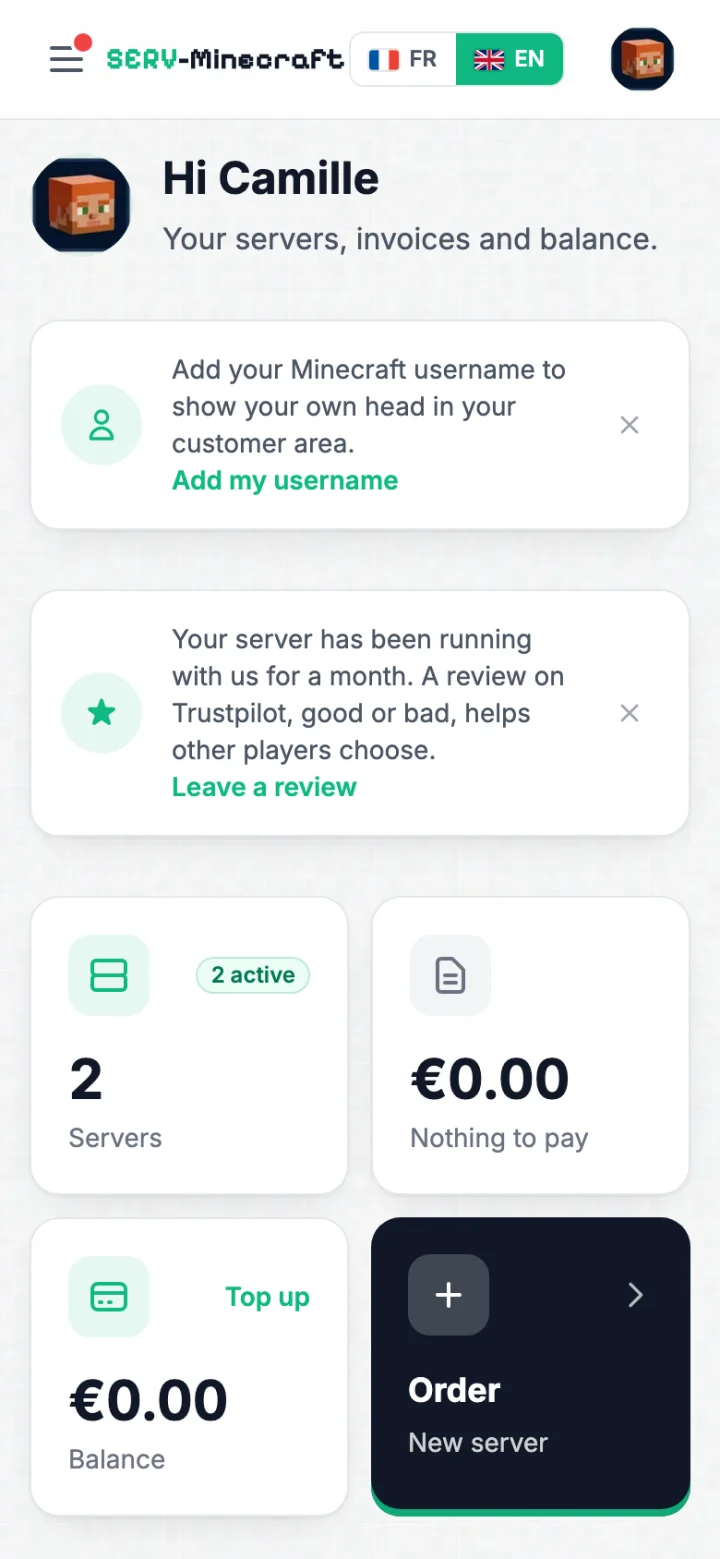
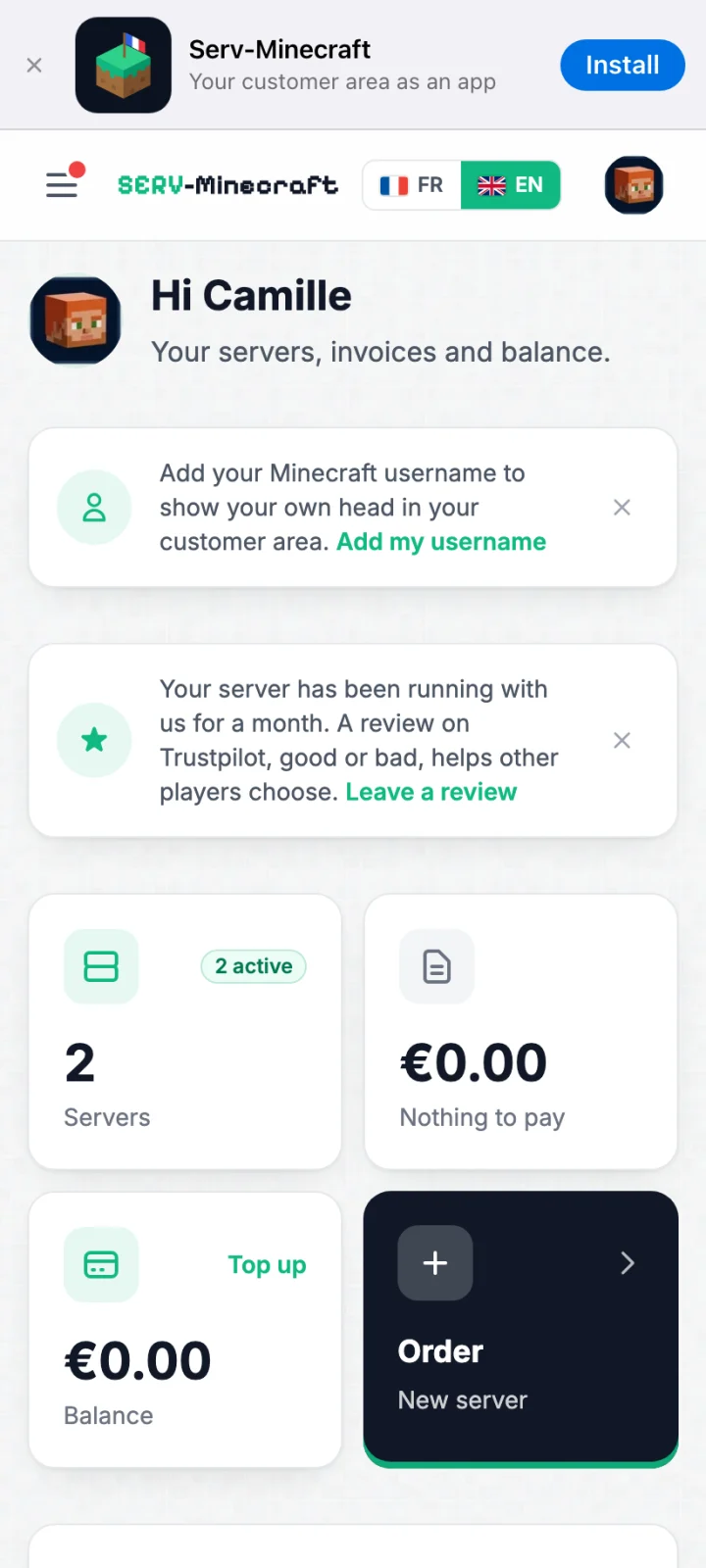
SERV-Minecraft app home screen on iPhone: servers, invoices and balance

Server status, console and notifications

The app is the same customer area you use on a computer, with the same account.

Files, backups, players and server settings open from the tabs on the same page.

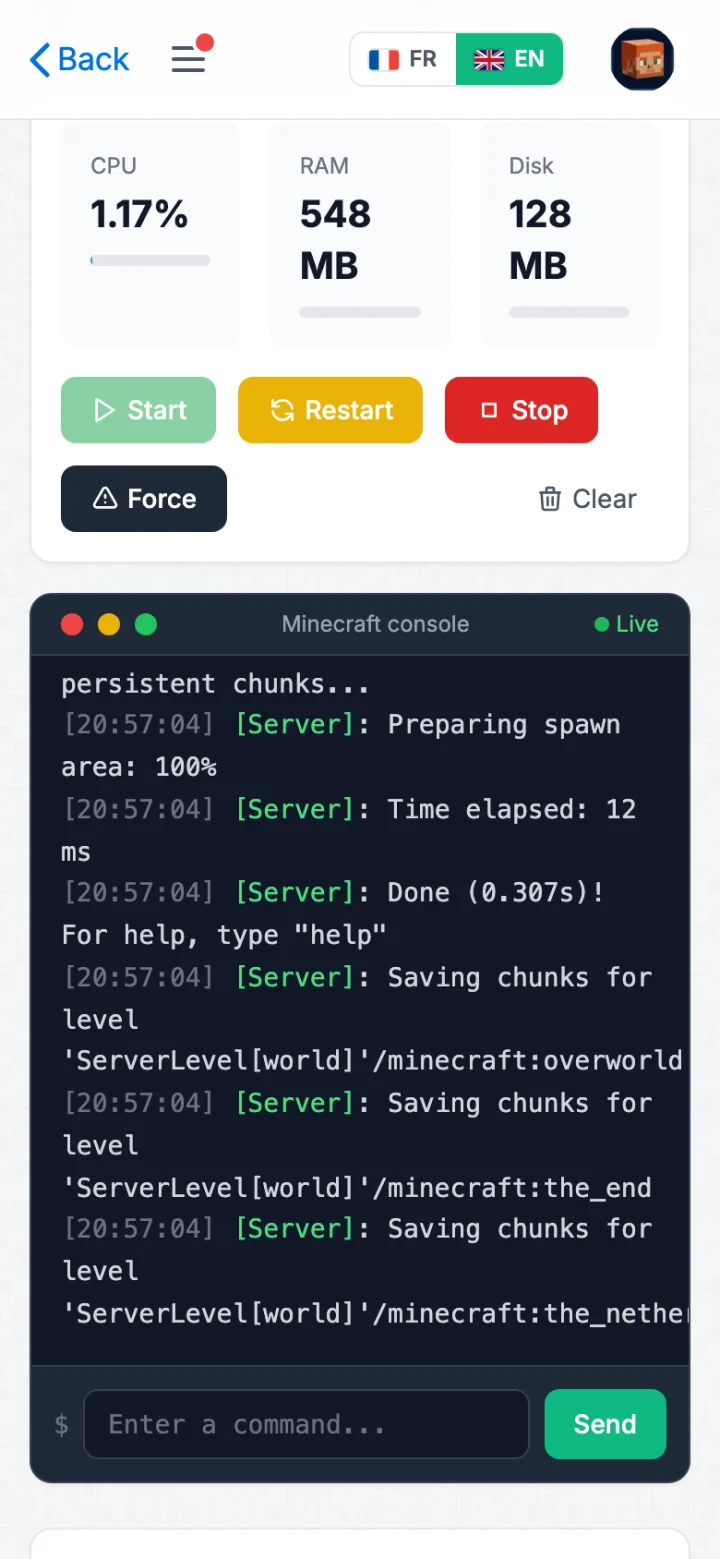
  • Minecraft server page in the app: CPU, memory, Start, Restart and Stop buttons, real-time console and command field

    Start, stop and live console

    A server page shows CPU load, memory and disk, with the buttons to start, restart or stop it. The logs scroll in real time and you send a command from the field under the console.

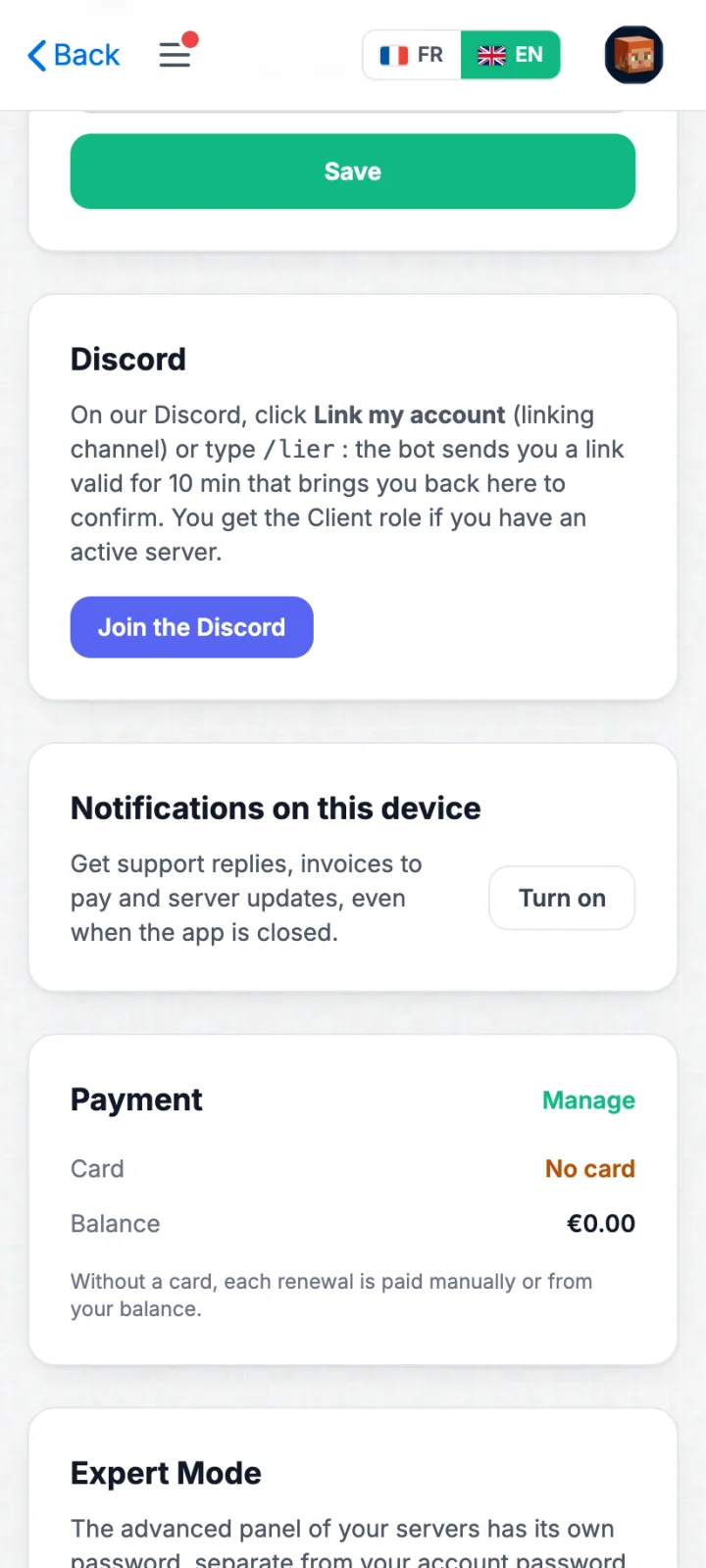
  • App settings: Notifications on this device block with the Turn on button

    Notifications

    Your phone alerts you when support replies to a ticket, when a server is ready or suspended, and when an invoice is due. Everything is set in the app settings.

Install the app on iPhone and Android

You install it from your phone's browser, at the customer area address.

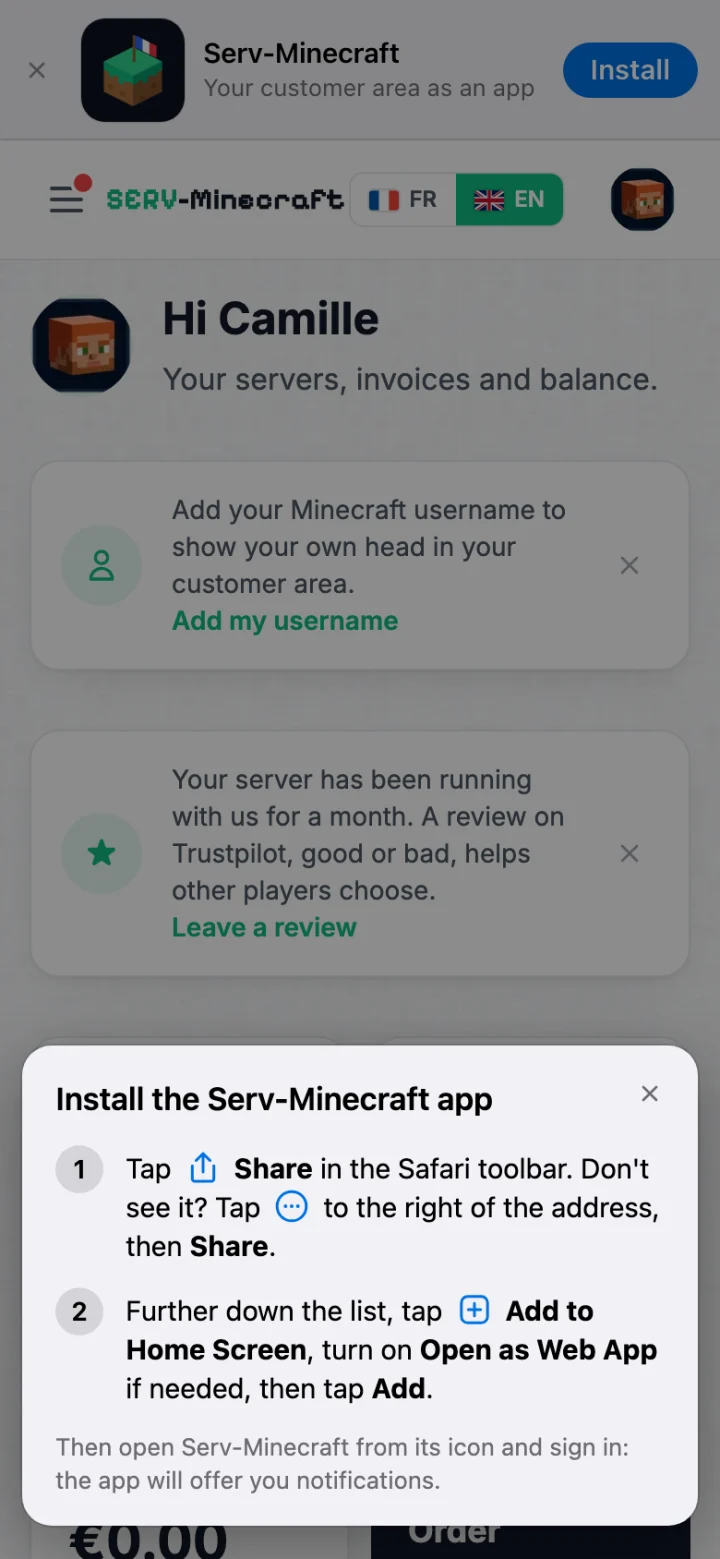
SERV-Minecraft app installation guide shown in Safari on iPhone

iPhone

  1. Open panel.serv-minecraft.fr in Safari and tap Install in the banner at the top of the screen.
  2. Tap Share in the Safari toolbar. If it is not there, tap the button to the right of the address (iOS 26) or to the left (iOS 27), then Share.
  3. Further down the list, tap Add to Home Screen, then Add. From iOS 26, turn on Open as Web App if needed.
  4. Open Serv-Minecraft from its icon and sign in: the app offers to turn on notifications.

With Chrome on iPhone, Share is to the right of the address bar. Notifications require iOS 16.4 or later.
SERV-Minecraft app installation banner in Chrome on Android

Android

  1. Open panel.serv-minecraft.fr in Chrome and tap Install in the banner at the top of the screen.
  2. Confirm the installation: the Serv-Minecraft icon is added to your home screen.
  3. Open the app, sign in and turn on notifications.

Questions about the app

Is the app paid?
No. It is part of the customer area and works with every plan.
Why is it not on the App Store or Google Play?
The app installs straight from your phone's browser, without going through an app store. It updates by itself.
Can I turn notifications on and off?
Yes. You turn them on and off on each device, in the app settings. They cover support replies, the delivery or suspension of a server, and invoices due.
Do I need a separate account for the app?
No. You sign in with your customer area credentials.
Which phones does it work on?
On iPhone with Safari or Chrome, and on Android with Chrome. Notifications on iPhone require iOS 16.4 or later.

Order your Minecraft server

Instant activation, no commitment. Starting at €1.99/month.

Talk to an expert

Tell us about your project, we will suggest the right plan.

Reply by email

7 days a week support. No sales calls.

Join the Discord
Loading page